Features · Spares & Inventory
The right part on the shelf when the line stops
Stock levels against minimums, parts linked to the assets they fit, and purchase orders that flow into NetSuite, Xero, Sage, QuickBooks, Dynamics 365 or SAP.
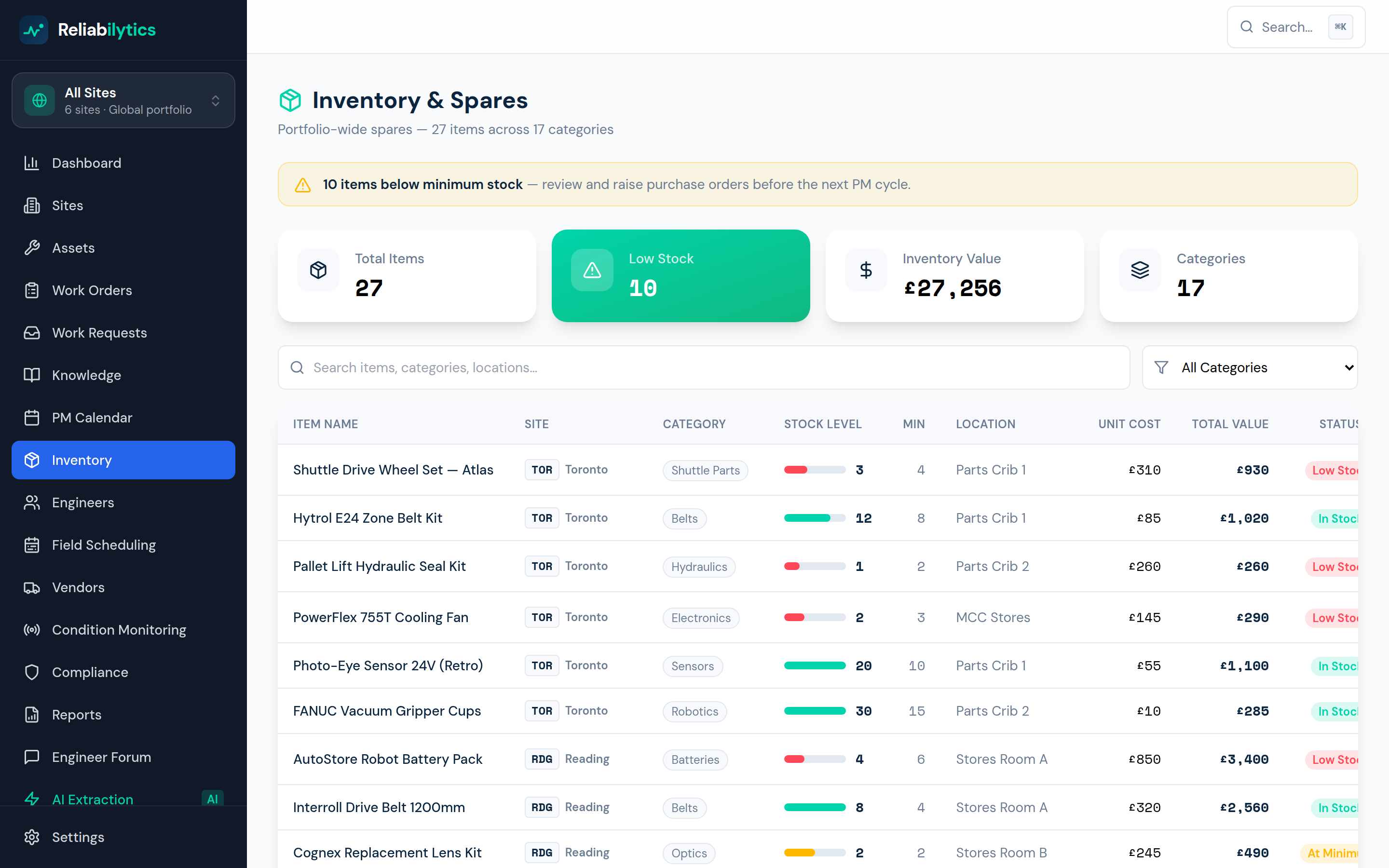
Real product screenshot — this is the screen you get, not a mock-up.
How it works, step by step
Exactly what happens, in the order it happens.
- 1
Stock tracked against minimums
Every spare carries stock, minimum level, location and unit cost. Items at or below minimum surface automatically as reorder candidates.
- 2
Parts linked to the assets they fit
"Which belt fits the Interroll BC-2400?" is a lookup, not a hunt through a paper catalogue while the conveyor waits.
- 3
Consumption recorded on the work order
Parts used are logged as jobs complete — so usage history is real, and reorder quantities reflect how you actually consume.
- 4
Purchase orders raised into finance
One click raises a PO; the finance integrations sync spares spend and cost-per-asset into the system your accountants already run.
What it changes for your business
Stockouts stop being downtime
The four-hour wait for a belt you should have had becomes a non-event.
Working capital under control
Consumption data trims over-stocking as reliably as it prevents under-stocking.
Finance sees maintenance clearly
Spares spend lands in the ledger coded by asset — TCO stops being a mystery.
Use spares & inventory today
Get started with Standard, or open the live demo — no signup required.