Features · PM Calendar & Scheduling
One calendar for everything your equipment needs
PMs, inspections and statutory safety checks on a single visual calendar — triggered by date or by usage meter (running hours, cycles, distance), whichever comes first.
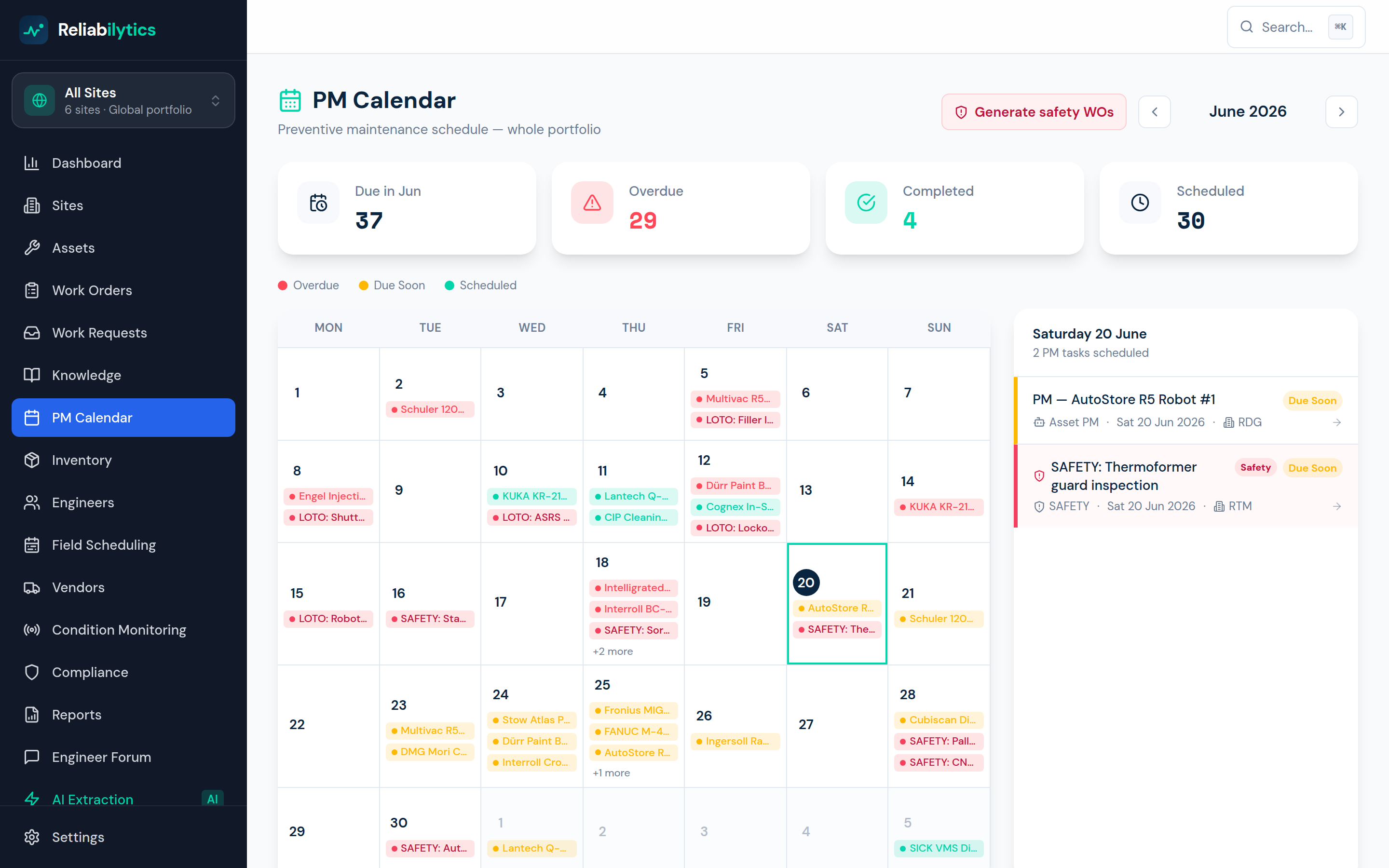
Real product screenshot — this is the screen you get, not a mock-up.
How it works, step by step
Exactly what happens, in the order it happens.
- 1
Schedules build themselves
AI-extracted intervals, asset PM dates and compliance frequencies all land on the calendar automatically — colour-coded by urgency, with safety-critical work highlighted.
- 2
Trigger on usage, not just the calendar
Assets carry usage meters — running hours, cycles, distance — fed by manual readings or the IoT ingestion endpoint. Cross the service interval and the PM work order generates itself; the calendar shows next-due as date or meter, whichever lands first.
- 3
See the month, the day, the risk
Month grid plus a day panel and an upcoming list. Overdue in red, due-soon in amber, scheduled in green — status legible at a glance.
- 4
Click through to act
Every calendar entry is live: click a PM and you're in the work order — complete it, log time, sign it off. Completing a meter-triggered PM resets the meter's interval automatically.
- 5
Compliance work generates automatically
A scheduled job watches statutory frequencies daily; e-stop tests and isolation audits become Safety work orders the moment they come due.
What it changes for your business
PM compliance you can see
The wall-chart view your morning meeting actually uses — with none of the wall-chart's lies.
No forgotten statutory checks
Inspections escalate before they lapse, not after an incident report asks why.
Workload smoothing
See pile-ups weeks ahead and rebalance before overtime becomes the plan.
Use pm calendar & scheduling today
Get started with Standard, or open the live demo — no signup required.