Features · Offline Mobile (PWA)
The plant room has no signal. Your CMMS doesn't care.
Reliabilytics installs as an app on any phone. Work orders, the asset register and QR fault reporting keep working offline, and everything an engineer logged syncs itself when the signal returns.
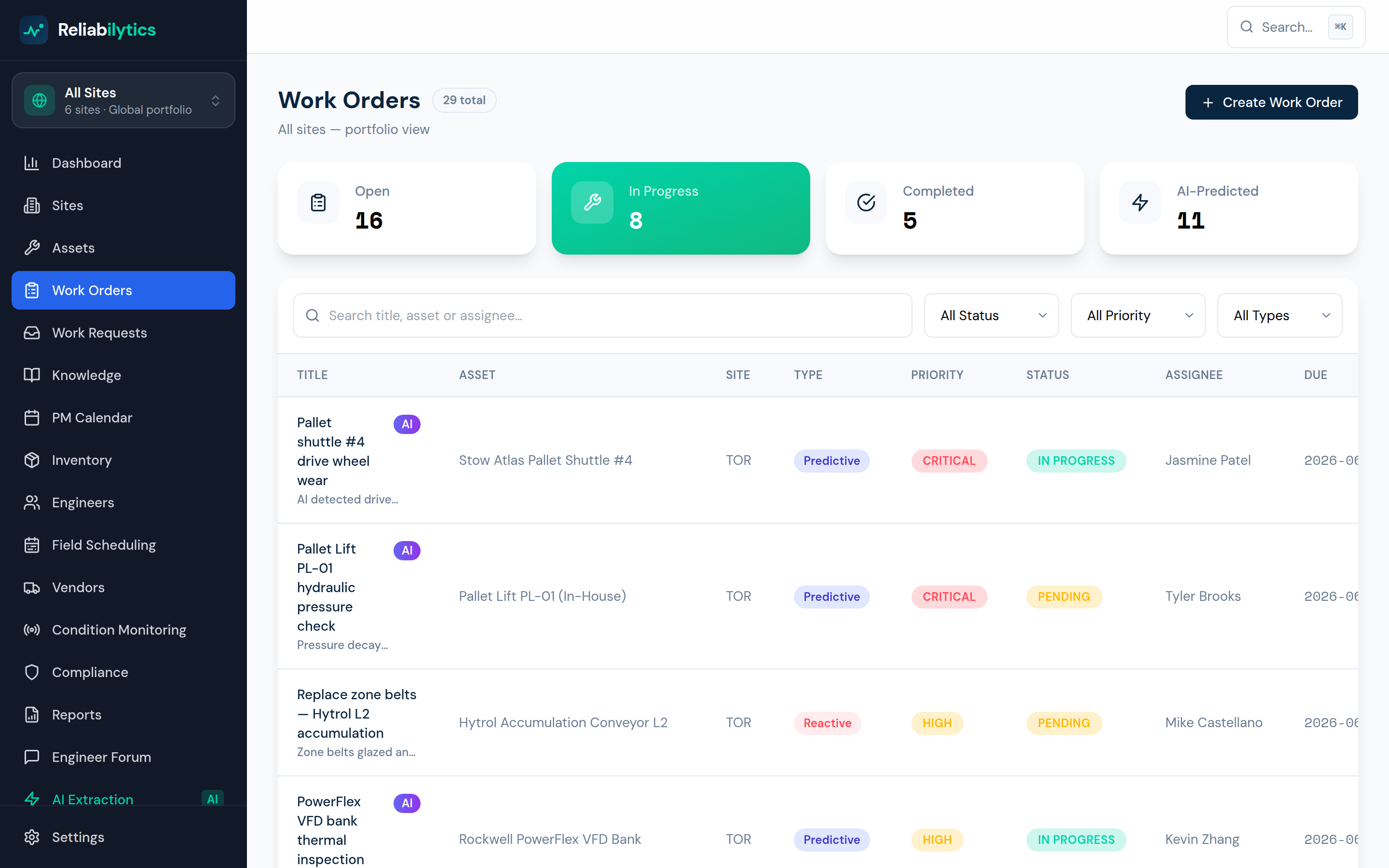
Real product screenshot — this is the screen you get, not a mock-up.
How it works, step by step
Exactly what happens, in the order it happens.
- 1
Install from the browser
One tap adds Reliabilytics to the home screen — a real installable PWA with its own icon, splash and standalone window. No app store, no MDM rollout.
- 2
Key screens are cached ahead of need
The service worker precaches work orders, assets and the fault-report portal, and keeps the last-seen live data — walk into a basement plant room and the app still opens with real content.
- 3
Actions queue when the signal dies
Complete a work order, log hours, record a meter reading or report a fault with zero bars: the action is stored in an offline queue and the UI carries on optimistically.
- 4
Back in coverage, everything syncs
The moment the connection returns, the queue replays automatically and confirms how many actions synced. QR-scan fault reports deep-link with the asset prefilled — online or off.
What it changes for your business
Engineers stop doing paperwork twice
No more scribbling readings in the lift shaft to retype at a desk — the record is captured once, where the work happened.
Coverage maps stop mattering
Steel-framed warehouses, basements and cold stores are exactly where breakdowns happen and exactly where signal dies. The workflow no longer depends on it.
Nothing gets lost
Queued actions survive page reloads and phone restarts — the sync happens when it can, not when someone remembers.
Use offline mobile (pwa) today
Get started with Standard, or open the live demo — no signup required.